Reverse Blocks is a free block puzzle game you play online, with one twist: pieces never fall. They wait in Storage, where you can rotate them before dragging them anywhere on the 10×20 board. Clear full rows or columns, and place shapes before new arrivals overflow Storage. Play the Campaign, Endless mode or the Daily Challenge.
If you enjoy classic block puzzles, Reverse Blocks keeps the satisfying line clears but removes falling pieces. The pressure comes from Storage instead: new shapes keep arriving, and you decide where every one goes.
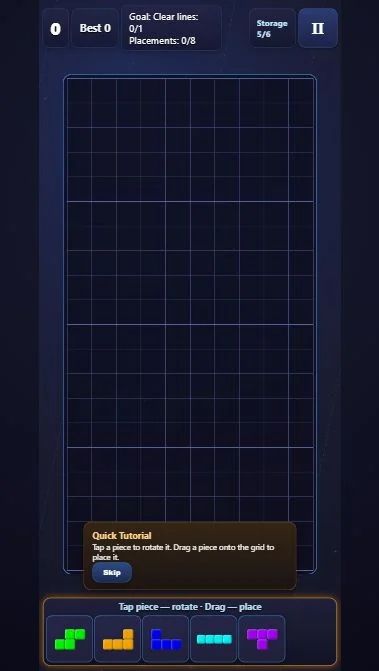
Choose Campaign and Level 1, then read the Quick Tutorial or Skip it. Level 1 starts with Storage 5/6 and asks for one cleared line. New shapes arrive on a timer, so keep placing while you plan.
Before your next move
A tall cyan I belongs at the left edge in this sequence; leaving it horizontal would occupy cells needed by the other shapes.
Turn the T by its visible shape, not a fixed number of clicks after a previous experiment. Its arm must point left and its shaft must fit inside column 10.
Browser edition
Play now opens the browser edition. Google Play opens our Flying Phoenix Android listing; features and progress options can differ.
Features and saved progress can differ between editions.
Questions about Reverse Blocks
Is Reverse Blocks a free block puzzle game?
Yes. You can play Reverse Blocks online free in your browser, with no download.
Do pieces fall automatically?
No. Pieces wait in Storage. Rotate them there and drag them to any open space on the board.
What ends a run?
New pieces arrive in Storage on a timer. If Storage overflows, the run ends — place shapes and clear rows or columns to keep room.
How do I get more stars?
Finish the goal with fewer placements and bigger combos. Clearing a row and a column with one move counts as a combo.
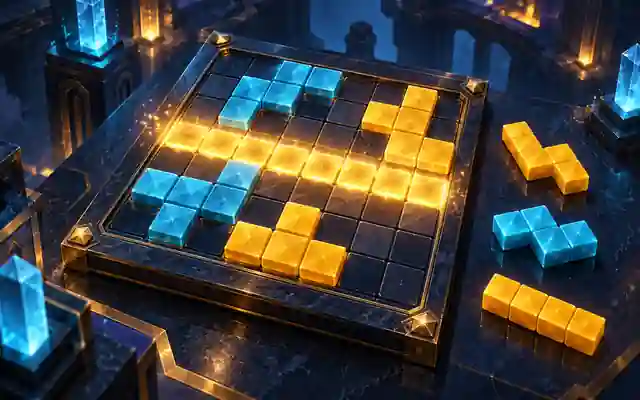
Original ManyPlay game. Controls and examples were checked against the browser edition; cover illustrations are labelled separately from gameplay captures. Report a changed rule or control.