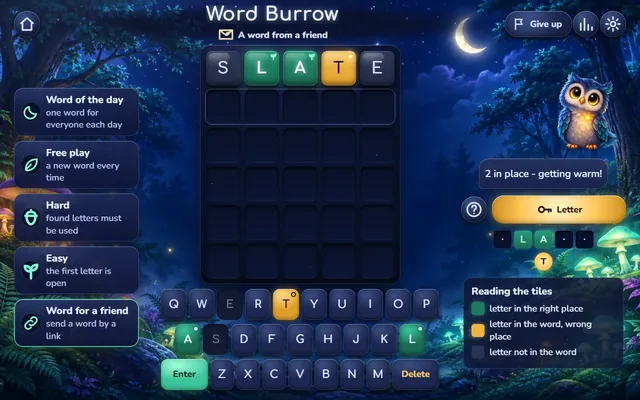
Word Burrow can be played by two: one player chooses the word, the other guesses it. Open Word for a friend, type any 5-letter word from the game's list and, if you like, add a topic hint; the name from your settings goes with it. The game makes a link; send it by any messenger or copy it.
Your friend opens the link and plays your word in their own browser, with the usual 6 tries and the green, yellow and grey tiles. The word is not written in the link, so it cannot be read from the address. Afterwards they can choose a word for you in the same window. This is a game for two people on two devices, one after the other; there is no play together on one screen.
How to play
Type a 5-letter word and press Enter. Green tiles are right letters in the right place, yellow tiles are in the word but elsewhere, grey tiles are not in the word. Find the word in 6 tries; a guess that is not a word is refused and does not cost a try.
Questions about Send a Word to a Friend
Can my friend see the word in the link?
No. The word is not written in the link, so it cannot be read from the address.
Do we play on one device?
No. Each player plays in their own browser, one after the other.
A cozy daily word puzzle in a night forest. Type a 5-letter guess and read the tiles: green is the right letter in the right place, yellow is in the word but elsewhere, grey is not there. Play the word of the day with everyone, or keep guessing new words in free play, hard or easy mode, or send a word to a friend.
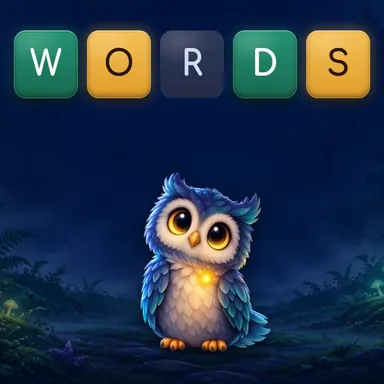
Word Burrow rewards reading every colour: green fixes a letter, yellow moves it, and grey rules a letter out of the whole word.
New to Word Burrow? Type a 5-letter word and press Enter; the tiles tell you which letters fit. You have 6 tries.
Before your next move
Typing a grey letter again: it can only waste a place in the row.
Leaving a yellow letter where it was: yellow means it is in the word, but not there.
Browser edition
Play in your browser. No app download is needed.
Questions about Word Burrow
What does a grey tile mean?
The letter is not in the word at all, unless it is an extra copy of a letter the answer holds once.
Does a refused guess cost a try?
No. A guess that is not a word, is too short or breaks the hard mode rule is refused, and you keep the try.
When can I ask for the topic?
From your fourth guess, outside hard mode. It gives the topic, never a letter.
Original ManyPlay game. Controls and examples were checked against the browser edition; cover illustrations are labelled separately from gameplay captures. Report a changed rule or control.